
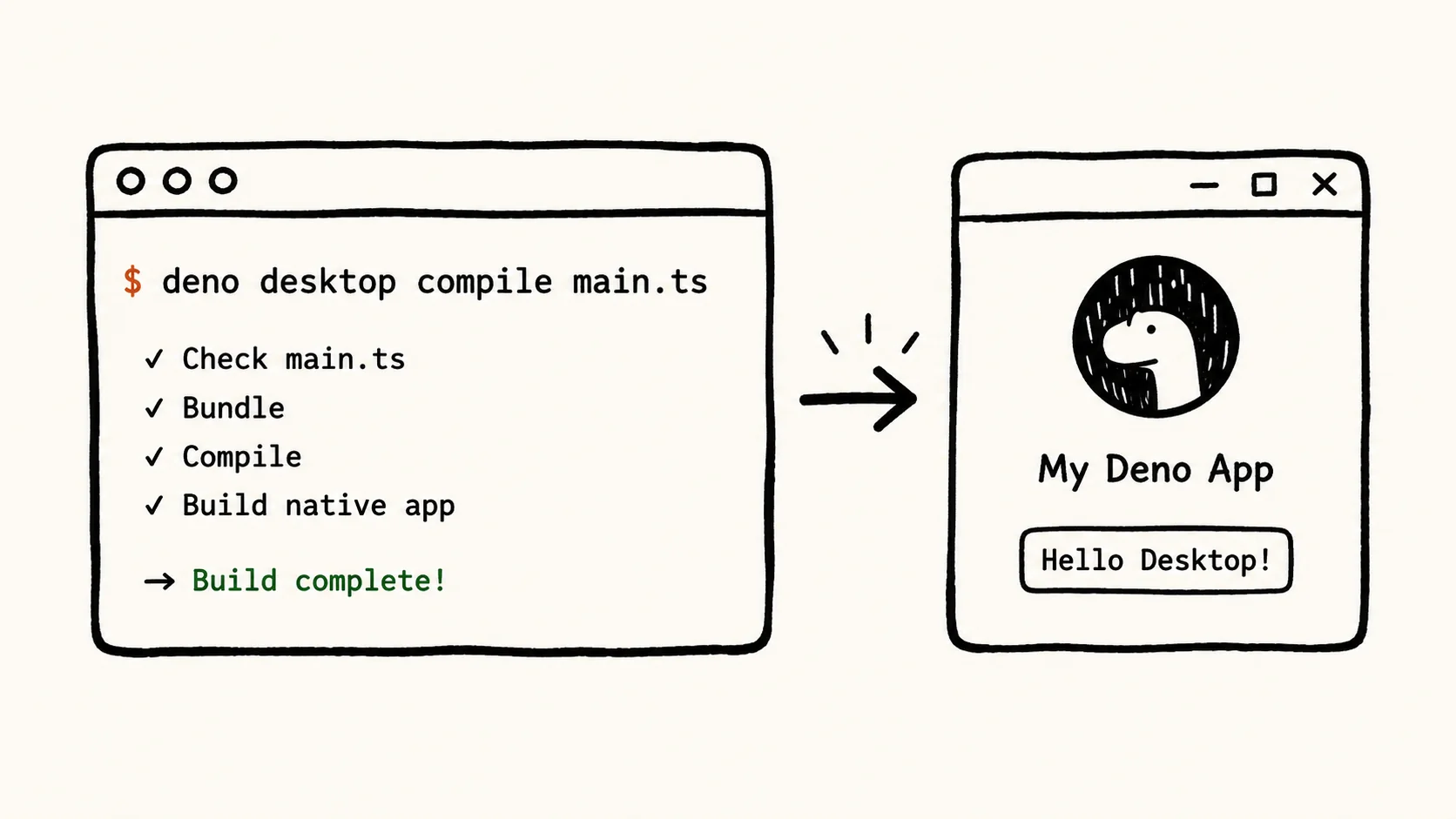
The deno desktop command, arriving in Deno v2.9.0, compiles any Deno project — from a single TypeScript file to a full Next.js or SvelteKit application — into a self-contained binary that ships with the runtime and a rendering engine bundled inside. No Electron, no separate installer, no IPC configuration.
How the Compilation Pipeline Bundles Runtime, Renderer, and Code
Running deno desktop main.ts produces a single executable — ./main on macOS and Linux, .\main.exe on Windows — that contains three layers fused together: the user's application code, the Deno runtime itself, and a webview backend that handles rendering. The binary launches a native window bound directly to the serving handler declared in the source file.
A minimal application requires only a Deno.serve() call in main.ts. The compiler reads configuration from deno.json and handles the bundling without modifications to application source code. The resulting binary is redistributable without any runtime pre-installed on the target machine.
The backend and UI communicate through in-process channels rather than socket-based cross-process messaging. That eliminates the round-trip latency inherent in architectures where the backend process and the renderer process exchange messages over a local socket — a design pattern common in tools like Tauri's earlier IPC system. The chart below shows the three-layer compilation model at a glance.
The Rendering Tradeoff: Native Webview vs. Bundled Chromium
Every deno desktop binary ships with one of two rendering backends, and the choice has direct consequences for binary size and cross-platform consistency.
The default is the operating system's native webview — WebKit on macOS, WebView2 on Windows, and the system WebKitGTK on Linux. Because the rendering engine already exists on the host machine, the resulting binary stays small. The tradeoff is that each platform renders through a different engine version, which can produce layout differences in complex CSS or JavaScript-dependent UI.
For teams that need pixel-identical output across all three platforms, Deno offers an opt-in Chromium Embedded Framework (CEF) backend. The CEF bundle ships Chromium inside the binary, guaranteeing consistent rendering everywhere. Binary size increases substantially — by an amount that is not currently quantified in the documentation — but the rendering target becomes predictable.
The decision chart below captures the core tradeoff so teams can map their priorities to the right configuration before they build.
Framework Auto-Detection and the Cross-Platform Build Workflow
The feature's most practical advantage for teams already running a web stack is that no source code changes are required. The deno desktop command detects nine major frameworks automatically — Next.js, Astro, Fresh, Remix, Nuxt, SvelteKit, SolidStart, TanStack Start, and Vite SSR — and handles the compilation accordingly. A project that runs in the browser today can produce a desktop binary without a separate build configuration.
Cross-compilation is built into the same workflow. Developers can target macOS, Windows, and Linux from a single host machine without running platform-native builds. The binary-diff auto-update mechanism ships alongside the app: it reads a latest.json manifest, applies bsdiff patches on update, and rolls back automatically if a launch fails after the update is installed.
The unified DevTools environment covers both the Deno runtime and the webview in the same session, and the runtime supports native UI elements — system menus, tray and dock icons, dialogs, and notifications — without requiring separate native bindings.
The feature is currently available as an unstable preview via deno upgrade canary, with a stable release planned for Deno v2.9.0. API surface and configuration options may change before that release. The nine auto-detected frameworks as of the current documentation are shown in the reference cards below.
Why Japan Is Losing the AI Race It Helped Create
From language tokenization barriers to corporate risk aversion and venture capital gaps, this explainer breaks down why Japan's AI position lags the US and China.
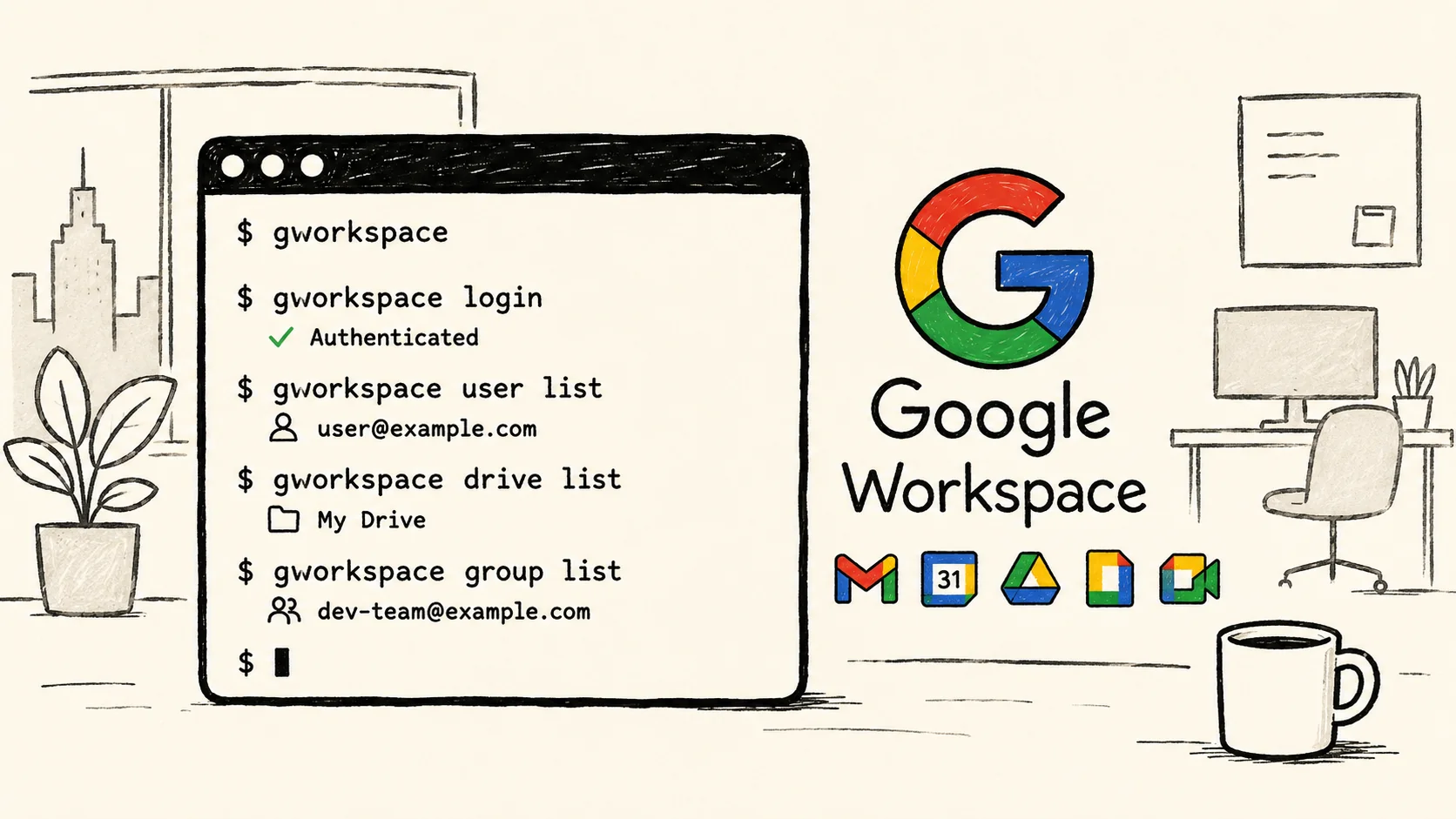
Google Fires DevRel Engineer Over Workspace CLI
Justin Poehnelt says Google fired him for building a Workspace CLI under the official GitHub org, two days before Google unveiled its own version.
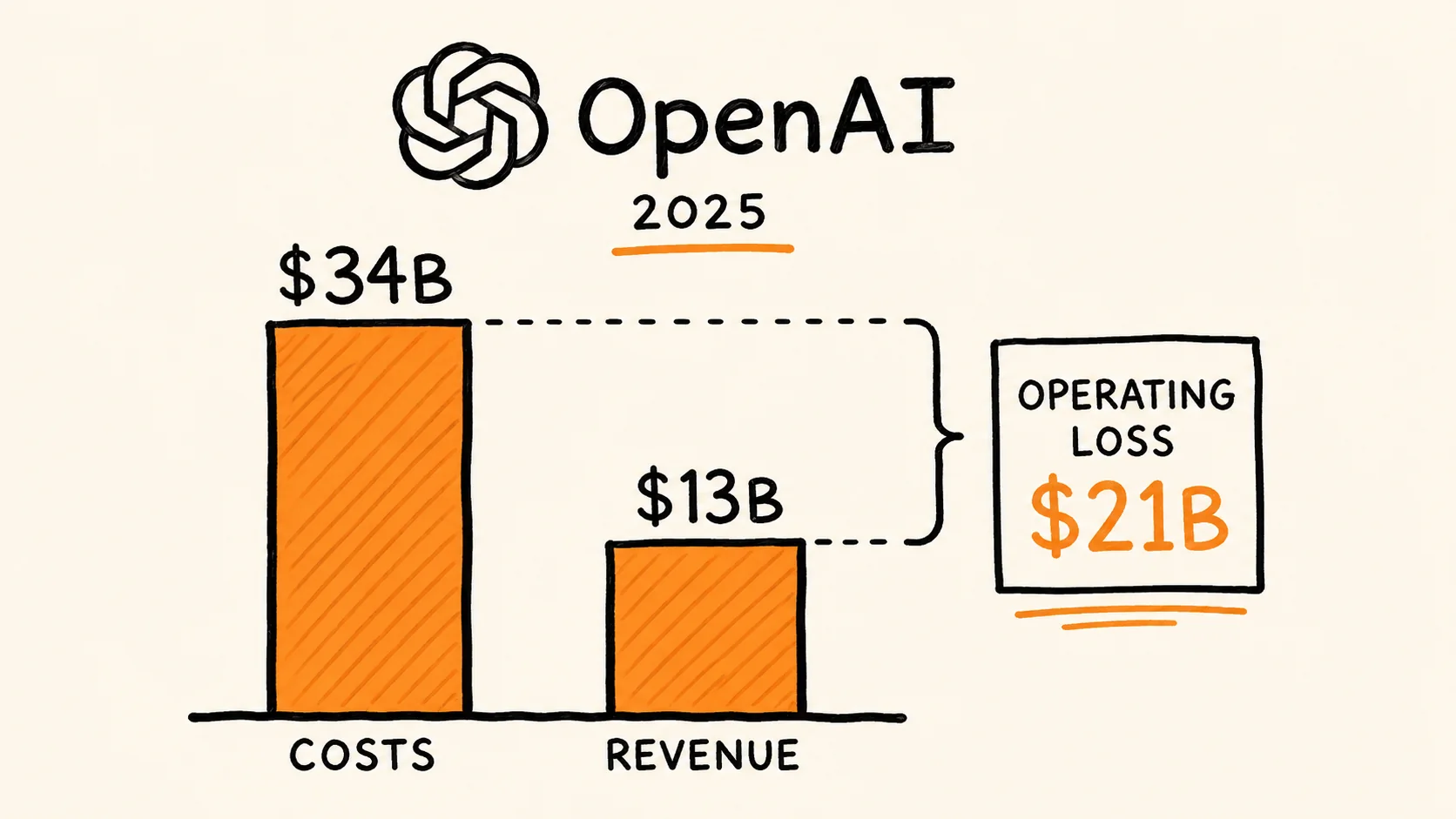
The AI Subsidy Era Is Ending — and Enterprise Buyers Are Getting the Bill
A data-grounded analysis of the AI subsidy model's structural unsustainability, OpenAI's 2025 financial losses, and the 2026 pivot to token-based pricing that is already shocking enterprise customers.

Honor's X80 Pro Max Pairs an 11,000mAh Battery With a Two-Year Free Screen Warranty
Honor launched the X80 Pro Max in China on June 22, 2026, with a record battery, SGS-certified drop resistance, and a free two-year screen warranty.
Comments (0)
Please sign in to join the discussion.
No comments yet.
Be the first to share your perspective on this topic.