
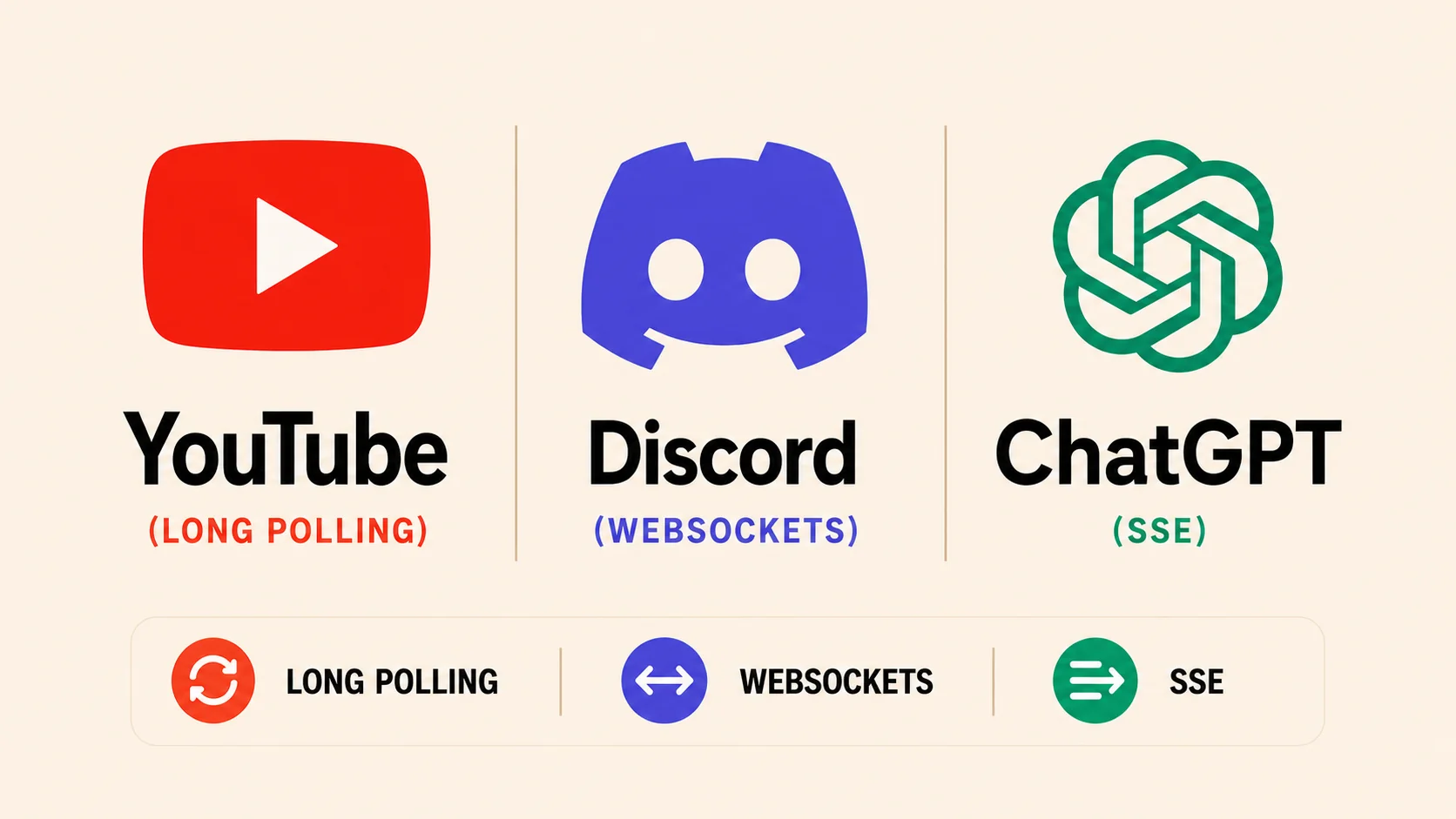
Three patterns solve the same problem, a server needing to tell a browser that something changed, and the pattern each production system picks tracks the direction its traffic actually flows, not which technique launched most recently.
Why YouTube's Live Chat Still Polls
YouTube's own Live Streaming Data API is the clearest public example of long polling still doing real work in 2026. The documented liveChatMessages.list method returns a pollingIntervalMillis value telling the client how long to wait before asking again, and a nextPageToken to resume from. The client sends a request, the server answers with whatever is new plus a wait time, and the client asks again. Google's separate streaming method exists specifically to cut that polling cost for callers who need messages sooner, over a low-latency server-streaming connection. Most third-party chat overlays and bots still use the list-and-wait pattern anyway, because it needs nothing beyond a standard HTTP client.
Long polling earns its keep in exactly this situation: infrequent updates, a client that already speaks plain HTTP, and no requirement to push data the other direction. The tradeoff is a request that never fully returns until the server has something to say, tying up a connection slot longer than an ordinary API call.
Why Discord Requires a Socket and Slack Mostly Doesn't
Discord's bot platform makes a WebSocket connection to its Gateway mandatory for receiving events. A bot authenticates, opens a persistent socket, and keeps it alive with a heartbeat inside an identify-then-listen flow; there is no HTTP polling alternative for reading events. Slack's Events API takes the opposite default: Slack sends an HTTP POST to a registered endpoint when something happens, keeping a bot's own infrastructure stateless. Slack also offers Socket Mode, a WebSocket the bot opens toward Slack instead of exposing a public URL, but Slack positions that as a development convenience rather than the production path.
The split follows from traffic shape, not preference. Discord's traffic is inherently bidirectional and high-frequency across millions of servers, so one held-open socket per client is cheaper than repeated handshakes. Slack's dominant shape is closer to occasional business events landing in a channel, where a stateless webhook scales more simply than a fleet of sockets Slack's own infrastructure would have to keep alive.
Why Streaming AI Responses Use SSE, Not a Socket
OpenAI's Chat Completions and Responses APIs stream model output token by token as, in the documentation's own words, data-only server-sent events: the client sets stream: true and reads incremental chunks instead of waiting for the full generation to finish. Anthropic's Messages API streams the same way. Neither provider needs a WebSocket for this, because the traffic is one-directional and short-lived: the client sends one prompt, the server pushes tokens until the response ends, and the connection closes. That is the shape SSE was built for.
There is a wrinkle worth naming, and it lands directly on the code below. Both APIs stream over POST, and the browser's built-in EventSource only ever issues GET requests, so a plain EventSource client cannot consume them. Every SDK that streams a chat completion is doing what the Node.js client.ts demo further down does: reading the response body as a raw byte stream and splitting on the SSE event delimiter by hand, because the one browser API built specifically for consuming SSE does not accept the request method these providers require.
Building the Three Patterns in Node.js and TypeScript
All three demos below run on plain Node.js with a current TypeScript compiler. A standard HTTP server, a Set for tracking open connections, and the ws package are the only moving parts. None of it depends on a specific runtime version, so treat "Node.js 22+" as the practical floor rather than a feature requirement.
Long polling: minimal and dependency-free:
// server.ts
import { createServer, type IncomingMessage, type ServerResponse } from "node:http";

interface Update {
  id: number;
  message: string;
}

let latestId = 0;
const updates: Update[] = [];
const waiters = new Set();

function publish(message: string): void {
  latestId += 1;
  const update: Update = { id: latestId, message };
  updates.push(update);
  for (const res of waiters) {
    res.writeHead(200, { "content-type": "application/json" });
    res.end(JSON.stringify(update));
  }
  waiters.clear();
}

createServer((req: IncomingMessage, res: ServerResponse) => {
  if (req.url?.startsWith("/poll")) {
    const since = Number(new URL(req.url, "http://x").searchParams.get("since") ?? 0);
    const pending = updates.find((u) => u.id > since);
    if (pending) {
      res.writeHead(200, { "content-type": "application/json" });
      res.end(JSON.stringify(pending));
      return;
    }
    // Hold the response open. Respond when data arrives or after 25s.
    const timer = setTimeout(() => {
      waiters.delete(res);
      res.writeHead(204).end();
    }, 25_000);
    res.on("close", () => { clearTimeout(timer); waiters.delete(res); });
    waiters.add(res);
    return;
  }
  res.writeHead(404).end();
}).listen(8080);

setInterval(() => publish(`tick ${Date.now()}`), 4_000);
Server-Sent Events: the server just writes to an open response, and the client below is the tricky half:
// sse-server.ts
import { createServer, type ServerResponse } from "node:http";

const clients = new Set();

createServer((req, res) => {
  if (req.url === "/events") {
    res.writeHead(200, {
      "content-type": "text/event-stream",
      "cache-control": "no-cache",
      connection: "keep-alive",
    });
    res.write("retry: 3000\n\n");
    clients.add(res);
    req.on("close", () => clients.delete(res));
    return;
  }
  res.writeHead(404).end();
}).listen(8082);

setInterval(() => {
  const payload = JSON.stringify({ time: Date.now() });
  for (const res of clients) res.write(`data: ${payload}\n\n`);
}, 4_000); // client.ts — Node.js only. In a browser, skip all of this and use:
// const es = new EventSource(url); es.onmessage = (e) => console.log(JSON.parse(e.data));
// EventSource handles this buffering, reconnection, and event-ID tracking for you.
// A raw stream reader has to do that buffering by hand: a TCP chunk boundary has no
// relationship to an SSE event boundary, so parsing each chunk in isolation will
// eventually split a "data: {...}" line, or a multi-byte character, across two reads.
const res = await fetch("http://localhost:8082/events");
const reader = res.body!.getReader();
const decoder = new TextDecoder();
let buffer = "";
while (true) {
const { value, done } = await reader.read();
if (done) break;
buffer += decoder.decode(value, { stream: true }); // stream:true also guards split UTF-8 sequences
let boundary: number;
while ((boundary = buffer.indexOf("\n\n")) !== -1) {
const rawEvent = buffer.slice(0, boundary);
buffer = buffer.slice(boundary + 2);
for (const line of rawEvent.split("\n")) {
if (line.startsWith("data: ")) console.log("pushed:", JSON.parse(line.slice(6)));
}
}
}WebSocket: full duplex, using the ws package on the server:
// ws-server.ts — npm install ws @types/ws
import { WebSocketServer, type WebSocket } from "ws";

const wss = new WebSocketServer({ port: 8081 });

wss.on("connection", (socket: WebSocket) => {
  socket.send(JSON.stringify({ type: "hello" }));
  socket.on("message", (raw: Buffer) => {
    let parsed: unknown;
    try {
      parsed = JSON.parse(raw.toString());
    } catch {
      socket.send(JSON.stringify({ type: "error", reason: "invalid JSON" }));
      return;
    }
    // Echo to every other connected client, both directions live on one socket.
    for (const client of wss.clients) {
      if (client !== socket && client.readyState === client.OPEN) {
        client.send(JSON.stringify({ type: "peer", data: parsed }));
      }
    }
  });
});// client.ts — no library needed; the runtime's global WebSocket handles the handshake
const socket = new WebSocket("ws://localhost:8081");
socket.addEventListener("message", (event: MessageEvent) => {
console.log("received:", event.data);
});
socket.addEventListener("open", () => socket.send(JSON.stringify({ hi: true })));The long-polling server holds a response object in memory per waiting client and answers it the moment new data exists or a timeout fires. The SSE server keeps one connection open per client and writes to it whenever it wants, but only in that direction, and the client has to reassemble events from a raw byte stream unless it's a browser tab using EventSource. The WebSocket server keeps a persistent, bidirectional pipe per client and can push to any of them at any time without a client asking first. That is the capability Discord's Gateway depends on and long polling structurally cannot offer.
What Neither Pattern Fixes By Itself
Choosing WebSocket over long polling solves the push-direction problem, not the operational ones that follow from holding a connection open at all. A held-open request, long poll or socket alike, outlives the access token that was valid when it started. Both need the server to signal that a client should reauthenticate mid-connection rather than silently dropping it. The two patterns also scale differently under load: a stateless long-poll or webhook endpoint can sit behind any load balancer and be answered by any server instance, while a WebSocket is pinned to whichever instance accepted it, which is why Discord- and Slack-scale systems route sockets through a dedicated connection layer instead of the same instances that handle ordinary API traffic. Picking the right pattern for the traffic direction is the first decision; routing and reauthenticating long-lived connections at scale is the one that shows up only after that choice is made.

gRPC vs. REST: What Two Independent Load Tests Actually Show
Two independent load tests, run six years apart, show REST throughput collapsing at scale while gRPC and Protobuf held steady. Here's what drove the gap.

Inside Netflix's Adaptive Bitrate Engine: How Streams Survive Bad Networks
Netflix's adaptive bitrate streaming re-encodes video per shot, lets the client pick quality every few seconds, and now applies variable bitrate to every live event as of January 2026.

TypeScript's Go Rewrite Officially Merges Into the Main Repository
Microsoft merged 2,495 commits from typescript-go into microsoft/TypeScript on Aug. 20, replaying full git history as it folds the Go compiler home for good.

How Stripe's Idempotency-Key Header Prevents Duplicate Charges
Stripe's 2017 engineering post explains the Idempotency-Key header; the exactly-once guarantee it enables actually lives in a database unique constraint.
Comments (0)
Please sign in to join the discussion.
No comments yet.
Be the first to share your perspective on this topic.